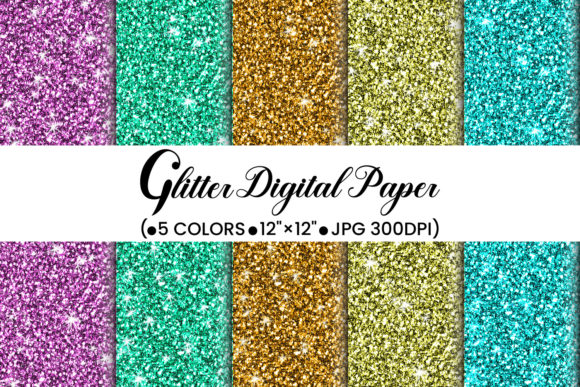
GLITTER DIGITAL PAPER: What You Actually Need to Know Before Downloading or Designing
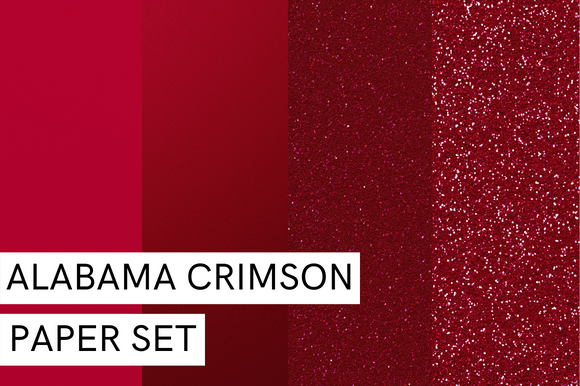
GLITTER DIGITAL PAPER isn’t just “shiny background”—it’s a versatile, print-ready design asset that adds instant visual texture and tactile appeal to real-world products. Whether you're printing custom T-shirts, designing branded mugs, crafting boutique gift bags, or producing elegant poster cards and scrapbooking layouts, high-quality glitter digital paper delivers professional polish without physical glitter mess or costly specialty printing.
But here’s what many creators overlook: not all glitter digital papers are built for real use. Some look dazzling on screen but fall apart when printed—fading, pixelating, or failing to hold their shimmer under ink or heat transfer. Others promise “high resolution” but deliver compressed JPGs with visible artifacts, or worse—low-DPI files that blur at 12×12 inches. That’s why understanding what’s *actually* included—and how to verify it—is the first step toward confident, frustration-free design work.
Common Missteps (and How to Avoid Them)
Mistake #1: Assuming “glitter” means “ready-to-print”
Glitter effects in digital paper rely heavily on contrast, lighting simulation, and subtle grain. If the file lacks true 300 DPI resolution or uses RGB-only color profiles without CMYK compatibility, your printed mug or poster may appear dull, muddy, or overly saturated. Always check whether the file is optimized for both screen preview and commercial or home printing—not just web display.
Mistake #2: Overlooking dimensions and scaling behavior
A “12×12 inch” claim sounds straightforward—until you open the file and find it’s actually 1200×1200 pixels (just 100 DPI). At that resolution, enlarging for large-format prints like posters or packaging wraps introduces visible softness or jagged edges. The GLITTER DIGITAL PAPER you’ll receive here is precisely 3600×3600 pixels—true 300 DPI at 12×12 inches—so it scales cleanly across product mockups, sublimation transfers, and offset print runs without interpolation or loss of detail.
Mistake #3: Ignoring file format limitations
JPG is widely supported and ideal for fast loading and broad compatibility—but it doesn’t support transparency. If you plan to layer glitter paper over photos, logos, or textured backgrounds in design software (like Photoshop or Canva), transparency matters. While this particular GLITTER DIGITAL PAPER is delivered as a JPG (optimized for vivid color fidelity and print consistency), keep in mind that for layered compositing, you’d want to pair it with a transparent PNG version—or apply blending modes like “Overlay” or “Soft Light” to preserve depth and luminosity.
What to Verify Before You Download or Buy
Before adding any GLITTER DIGITAL PAPER to your toolkit, ask yourself three practical questions:
- Is the resolution truly print-ready? Look for confirmation of 300 DPI at full size—not “designed for 12×12” or “screen-optimized.” If specs aren’t clearly stated, assume it’s not intended for physical output.
- Does the glitter effect translate across devices and outputs? Preview the file on multiple screens (phone, laptop, tablet) and—if possible—print a small test swatch. Real glitter digital paper should retain its dimensionality even in grayscale mode; flat, oversaturated “sparkle” often indicates poor texture layering.
- Is licensing clear and business-friendly? Many free glitter papers come with restrictive personal-use-only terms. For entrepreneurs creating client deliverables, selling merchandise, or building brand assets, you need commercial rights—no hidden clauses, no attribution requirements, no limits on quantity or platforms.
With this GLITTER DIGITAL PAPER, you get exactly what’s needed: JPG files sized at 12×12 inches (3600×3600 px), true 300 DPI sharpness, and straightforward commercial use rights—ideal for small business owners launching product lines, educators preparing classroom materials, or freelancers delivering polished presentations and social media assets.
Real-World Uses—Beyond the Obvious
Yes, GLITTER DIGITAL PAPER shines on T-shirts and mugs—but its quiet strength lies in subtler applications. Consider these often-overlooked uses:
- Packaging paper: Wrap handmade soaps, candles, or subscription boxes with printed glitter paper for shelf impact—no foil stamping required.
- Scrapbooking & journaling: Print on cardstock and cut into borders, tags, or photo mats. The fine-grain shimmer adds warmth without overwhelming handwritten notes or vintage photos.
- Digital overlays: Import into Canva or Adobe Express and use as a background layer behind text or icons—adjust opacity to 70–85% for elegant, understated texture.
- Educational printables: Teachers use glitter digital paper for award certificates, vocabulary cards, or bulletin board accents—students respond more positively to visually rich, non-distracting backgrounds.
One freelance stationery designer told us she switched from generic glitter patterns to purpose-built GLITTER DIGITAL PAPER after her client’s wedding invitations kept getting rejected by printers for “low-res embellishments.” With the correct 3600×3600 px files, she reduced prepress revisions by 90% and started offering premium add-ons like foil-accented digital suites—without needing new equipment.
A Note on Quality vs. Quantity
Some stores offer “100 glitter papers for $5.” Others charge more for fewer—but each file is hand-refined for consistent light reflection, balanced saturation, and seamless tiling. When you’re building a brand identity or preparing client-facing assets, one reliable, well-engineered GLITTER DIGITAL PAPER saves more time than ten inconsistent ones. It’s not about hoarding options—it’s about having the right tool, ready to use, without troubleshooting.
Thank you very much—we’re glad you stopped by Hello and Welcome to my Design Store. These files were created with care, tested across printers and platforms, and designed to work as promised: beautifully, reliably, and respectfully of your time and vision. We wish you have a wonderful day and always in kindness.
Best regards.